

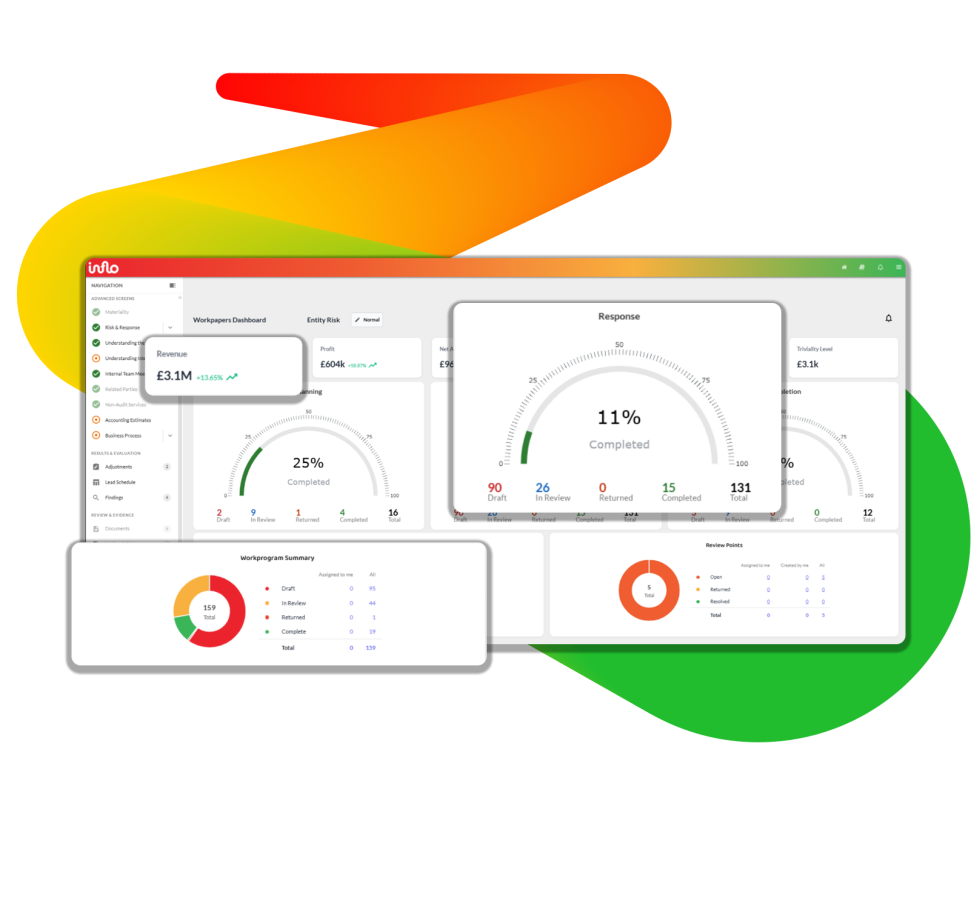
The New Inflo Experience introduces a more modern interface, simpler navigation, improved workflows and a stronger foundation for future innovation across the platform.
While much of this work is powered by our move to Blazor behind the scenes, what really matters is what it means for you: a faster, smoother and more consistent experience throughout Inflo. Functionality remains familiar, but accessing and working with it becomes easier and more intuitive.
Whether you’re a Partner, Manager or member of the audit team, this page is your central hub for understanding what’s changing, accessing training resources and preparing your firm for the transition.
The New Inflo Experience isn’t simply a visual refresh.
It provides the foundation that allows us to deliver future enhancements, workflow improvements, automation and innovation more rapidly across the platform.
This is an important step in the continued evolution of Inflo.
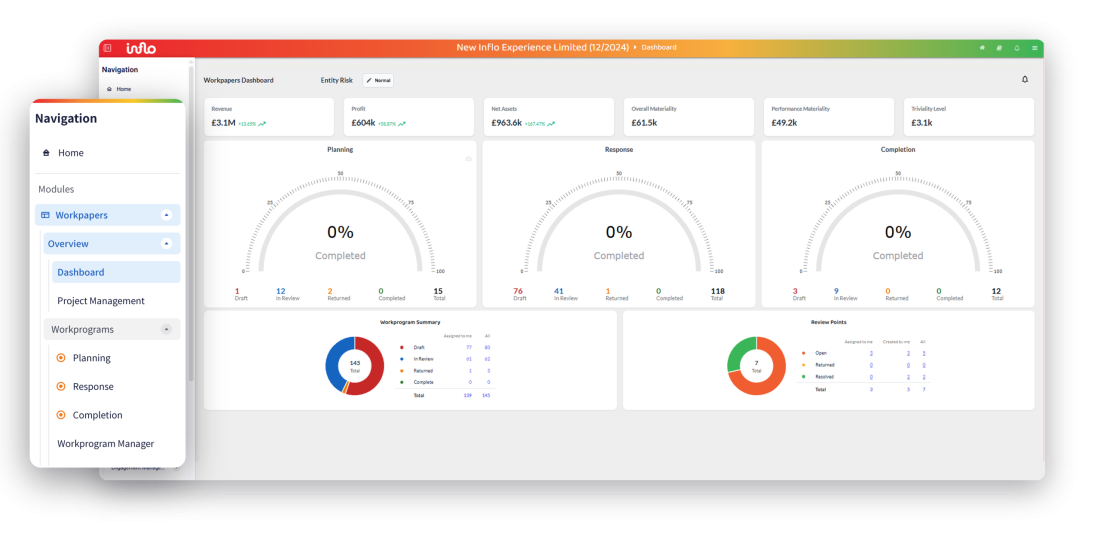
We’re introducing a redesigned navigation experience across Inflo.
A new left-hand navigation menu brings together the areas of Inflo available to you, making it easier to move between workflows and locate functionality.
Benefits
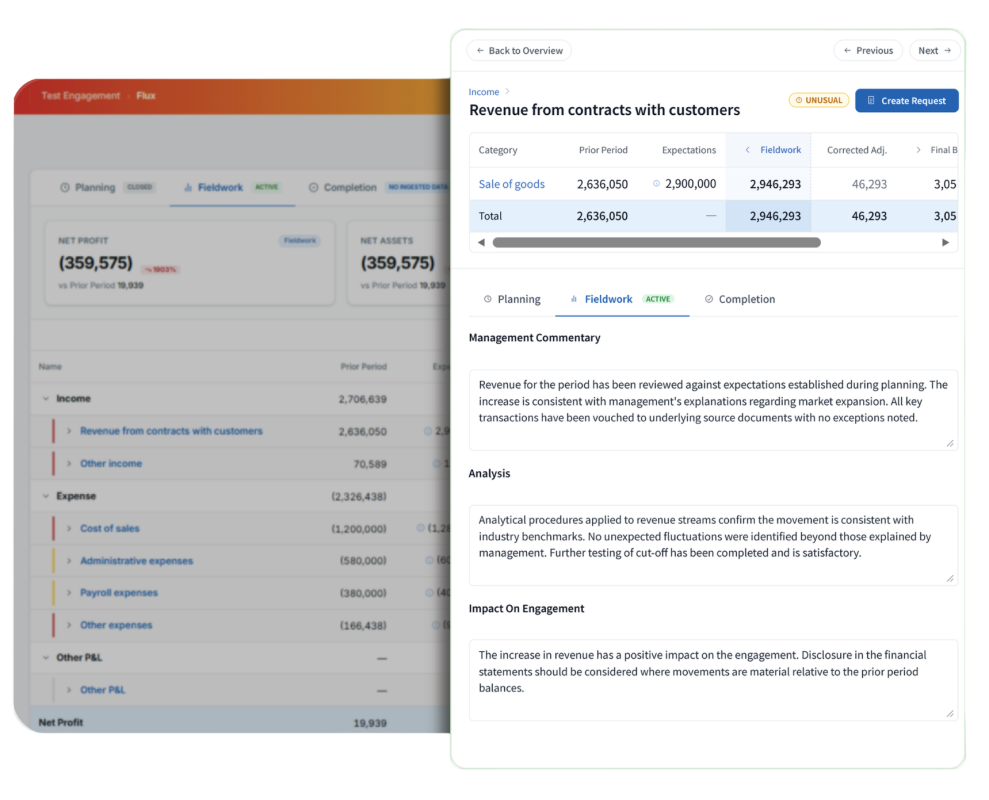
Many workflows now make use of modern fly-in panels rather than requiring users to navigate between multiple screens
This allows you to access information, complete tasks and review details more efficiently while maintaining context.
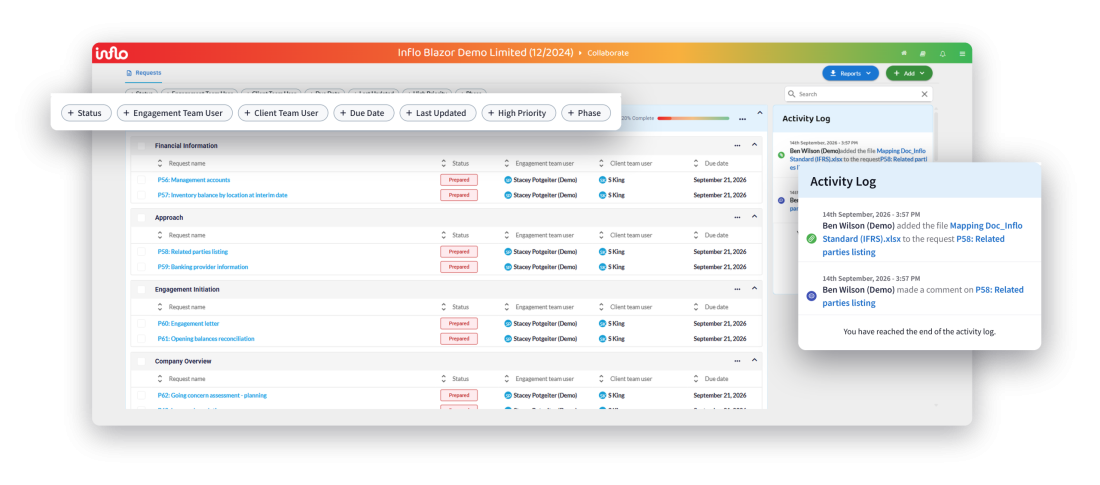
Across the platform you’ll see updated layouts, clearer organisation and a more consistent design language.
These improvements help create a cleaner experience whilst making common actions easier to complete.
Over the years we’ve received valuable feedback from firms around performance, usability and consistency.
The New Inflo Experience helps us address these challenges while creating a stronger platform for the future.
Our goals are simple:

Deliver a faster, more responsive user experience.

Provide a more unified experience across Inflo.

Enable new improvements and capabilities to reach customers more quickly.
The best way to understand the changes is to experience them yourself.
These interactive walkthroughs allow you to explore key workflows and see exactly how the New Inflo Experience works.
Unlike traditional videos, you can progress at your own pace and revisit any step whenever needed.
Discover the new Workpapers experience
Take a guided tour of the updated Workpapers experience, including navigation improvements, dashboard enhancements and workflow updates.
What you’ll learn
Move smoothly between Workpapers v2 and legacy screens
Learn how Workpapers v2 and the legacy experience work together, allowing you to access features that have not yet moved to Workpapers v2 without disrupting your workflow.
What you’ll learn
Get started with the new Workprograms experience
Discover the refreshed Workprograms experience, designed to provide a more modern and intuitive interface while retaining the functionality and workflows you’re familiar with today.
What you’ll learn
Navigate Workpapers advanced screens in the new experience
Learn where to find and use the advanced screens available in Workpapers v2, including how to access areas that currently remain in the legacy experience.
What you’ll learn
Manage materiality in the new advanced screen
Discover the refreshed Materiality Advanced screen, where you can set materiality, apply benchmarks, manage specific materiality, and review materiality information across engagement phases in a more modern and intuitive experience.
What you’ll learn
Review work more efficiently
See how review points and review workflows have evolved within the New Inflo Experience.
What you’ll learn
Explore the new Collaborate experience
Discover how Collaborate has been refreshed to provide a more consistent and intuitive experience for both firm users and clients.
What you’ll learn
Managing client requests with confidence
See how requests are created, managed and monitored within Collaborate.
What you’ll learn
Explore the new Flux experience
Discover how Flux has been refreshed with a more modern and intuitive experience while retaining the familiar workflows and functionality you rely on every day.
What you’ll learn
Additional interactive walkthroughs will become available throughout the rollout, covering further areas of Inflo and future enhancements to the New Inflo Experience.
The transition has been designed to be intuitive, but firms that actively prepare their teams typically build confidence more quickly and reduce disruption.
Identify a small group of users to familiarise themselves with the new experience first.
We recommend they:
Please note: Engagement update banners are only available to designated Champions. Other users will not see these banners during the rollout.
For most users, the biggest change will be navigation.
Before diving into individual features, help teams understand:
Once users understand navigation, the rest of the transition often becomes much easier.
Rather than showing every screen, focus on the activities your teams perform every day.
Suggested demonstrations:
Short demonstrations are often more effective than lengthy training sessions.
Questions are a normal part of any change.
Encourage users to:
Many questions raised by one user are often shared by others.
Where practical:
This helps build confidence and provides opportunities to address questions before wider rollout.
As additional resources become available, this page will continue to be updated.
We recommend bookmarking this page and returning regularly for:
A practical implementation checklist to help your firm prepare, test and introduce the New Inflo Experience.
We’ll continue updating this page with the latest information and resources.
Released October 12th:
✅ Refreshed user experience
✅ Find what you need faster with the new navigation
✅ First wave of platform improvements across Workpapers, Collaborate and Flux
✅ Interactive walkthrough resources
Coming Soon:
🔷 Further Workpapers enhancements
🔷 Additional interactive demos and checklists
🔷 Expanded Inflo HI intelligence across the audit
🔷 Moving to a more flexible, user-based adoption approach
Have questions about the New Inflo Experience?
Speak directly with the teams behind the changes.
These informal sessions are designed to help you:
No. Most functionality remains familiar. The primary changes relate to how information is presented and how users navigate around the platform.
Blazor is the technology helping power the New Inflo Experience.
While largely behind the scenes, it enables a faster, more responsive and more modern experience throughout the platform.
Most users should find the experience intuitive. However, we recommend watching the introduction video and completing the interactive walkthroughs to familiarise yourself with the changes.
Yes. We encourage firms to familiarise users with the available resources, explore the walkthroughs and develop confidence with the new experience over time.
Yes. The New Inflo Experience is part of an ongoing programme of platform improvements and innovation.
You can:
Head to the Release Hub for additional information, resources and updates related to the New Inflo Experience.
We’re committed to continually improving the Inflo experience and would love to hear your thoughts.
Whether you have:
Your feedback helps us prioritise future improvements and identify areas where additional resources may be helpful.
The New Inflo Experience represents an important step forward for the platform.
We encourage you to:
✅ Watch the introduction video
✅ Complete the interactive walkthroughs
✅ Attend a drop-in session
✅ Share feedback with the team
✅ Bookmark this page for future updates
We’re excited to continue building the future of Inflo with you.

Book a demo today and discover how Inflo can transform your audit practice.